Request
Get your instant quote and place order
Enter the meeting date, start time, the platform and the language of the other side. The price for the hours you book shows right away.
Zoom, Microsoft Teams, Google Meet or the Texliff room
Video interpretation (VRI)Business Meetings
Interpreters for supplier calls, customer reviews, partner meetings and sales presentations by video. Get your quote in seconds, place your order, add your meeting link, and you're all set.

Starting at $92.91
Per hour

Court-certified
Interpreters

HIPAA-aligned
All clinical sessions

Medically credentialed
CCHI and NBCMI certified interpreters
Request
Enter the meeting date, start time, the platform and the language of the other side. The price for the hours you book shows right away.
Zoom, Microsoft Teams, Google Meet or the Texliff room

Match
Our dispatcher assigns an interpreter who has interpreted business meetings before, and you see the name before the meeting.
Confirmed in your dashboard and by email

Video (VRI)
The interpreter joins your meeting link as a guest at the booked time and stays for the hours you booked.
Any device, interpreters from all 50 states
The price shows before you book. Every session is covered by an NDA; clinical sessions are handled in line with HIPAA.
Book an interpreterMeetings we interpret
We interpret four kinds of business meetings by video. The agenda and the names you add to the booking reach the interpreter before the meeting.
We interpret calls with suppliers about orders, specifications and delivery schedules. Part names, product terms and order numbers in the booking notes help the interpreter prepare for the call.
A customer who speaks another language can join account reviews and follow-up meetings with an interpreter. Add the figures or the slides you plan to discuss to the booking, so the interpreter knows the terms.
Companies with a partner or a team abroad hold planning meetings by video. Everyone joins the same link, and the interpreter works between the two sides for the whole meeting.
Sales meetings and product demonstrations often have one person sharing a screen. Send the product names and the order of the demonstration in the booking notes, so the interpreter knows what will be shown.
Video business meetings
Meetings with suppliers, customers and partners are held by video when the people work in different cities or countries. Video is also chosen when no interpreter for the language works near the office, because our interpreters join from anywhere in the US. The host sends the meeting link, and the interpreter joins as one more participant. Slides and documents are shared on screen as in any other video meeting.
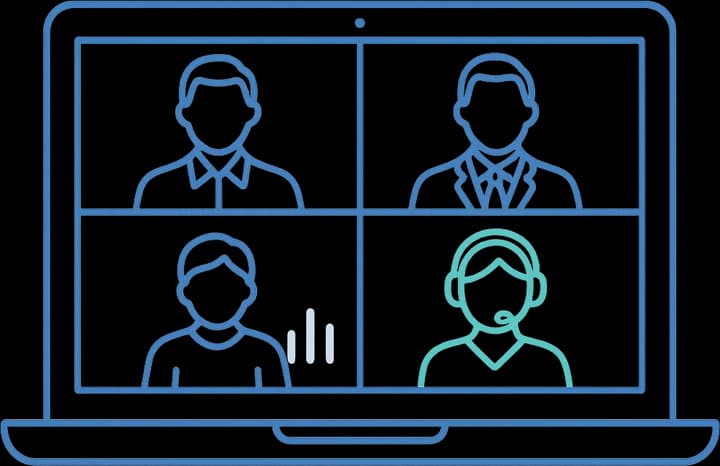
A manager from your company leads the meeting and speaks for the company's side. The supplier, customer or partner on the other side speaks the other language and answers in it. Colleagues from either side join to speak to their part of the agenda, such as an order, a price or a schedule. The interpreter joins the call and interprets for everyone who speaks.
The interpreter makes the meeting as clear as it would be if both sides spoke one language. Everything that is said is interpreted in full, in both directions, so nothing from either side is left out. The interpreter is neutral, works for neither company, and does not give an opinion on a price, a plan or a term. What they hear in the meeting stays confidential.
In a meeting
Sharing a screen
Send the agenda, the names and titles of the attendees and any slides in the booking notes, and the interpreter reads them before the meeting. Each speaker pauses after a part, and the interpreter then gives it in the other language. When someone shares a screen, the next slide waits until the interpreter has finished.
On-site, video or phone
Video suits meetings where the people and the documents are in different places. The cases below are better in another setting.

Book an interpreter in the room when both sides can travel to one address, such as a foreign customer visiting your office.
On-Site Interpretation for Business MeetingsVideo fits supplier calls, customer reviews and partner meetings where people join from different offices and share slides on screen.

Phone fits a call that settles a single point, when no slide or document is needed.
Phone Interpretation for Business MeetingsHow it works

Enter your details and get your instant quote
Enter the meeting date, start time, the platform and the language of the other side. The price for the booked hours shows right away.

Place your order
Pay online to confirm. The booking opens in your dashboard, where you add the meeting link, the agenda and the names of the attendees.

Dispatcher runs and assigns an interpreter
Our dispatcher assigns an interpreter who has interpreted business meetings before and confirms the name to you before the meeting.

Join your session
The interpreter joins your link as a guest at the booked time. Each person speaks in turn, and the interpreter stays for the hours you booked.
What you receive
Every file and session is covered by an NDA and sent over an encrypted connection. Clinical matters are handled in line with HIPAA.
If you also need translations
Certified translations come from the same account, as a PDF, and are always into English.
Meeting minutes from earlier calls with the other company, translated into English so everyone on your side has the same notes.
Product manuals the supplier sent, translated into English for the team that will discuss them.
Contracts and letters in another language, translated into English so counsel can read them before they come up in a meeting.


 Not in the list? We translate 37 document types, from passports and bank statements to patents, each with its own page and the same certification.Browse all documents
FAQ
The ones we hear most often, answered by our dispatch and project-management teams.
Can't find it here?
Add your meeting link to the booking, and the interpreter joins it as a guest on Zoom, Microsoft Teams or Google Meet. If you have no link, we create one in the Texliff room, which opens in the browser without installing anything.
No. One booking is for English and one other language, with one interpreter. Book one session for each language, and both sessions can use the same link.
Yes. The booking opens in your dashboard once you pay, and the link goes there with the agenda as soon as your team has it.
By the hour, for the hours you book, and the total shows before you pay. Book more hours than the meeting would take in English, because each person speaks in turn and every part is interpreted.
You can ask for it in the booking notes. A booking is for the service, not for a particular interpreter, so we take the request into account and assign them when they are available.
70 languages. Mandarin, Spanish, Korean, Portuguese, Arabic and Russian are among the easiest to schedule. Rare languages need more notice.
By language
One page per language, with the varieties we confirm at booking, the register the session needs and where that language is booked most.
Related interpretation services
Interpreters for supply, distribution, licensing and joint venture negotiations held on video.
ExploreVideo interpreters for HR investigations, disciplinary meetings, reviews and accommodation requests.
ExploreVideo interpreters for orientation presentations, benefits enrollment and policy reviews.
ExploreVideo interpreters for live compliance courses, virtual safety training and policy sessions.
ExploreStart a project
Tell us the date, the platform and the language of the other side. We confirm the interpreter's name before the meeting.


